The Tirelibrary API: tire catalog, fitment and rebate data in one REST endpoint
A read-only REST API for 240,000+ tires, 440 brands, vehicle fitment and manufacturer rebates. JSON, API-key auth, OpenAPI spec. Here is what it does.
Most teams that need tire data start the same way. Someone pulls a spreadsheet from a supplier, someone else writes a script to clean it, and six weeks later there is a homegrown catalog that is already out of date and nobody wants to own.
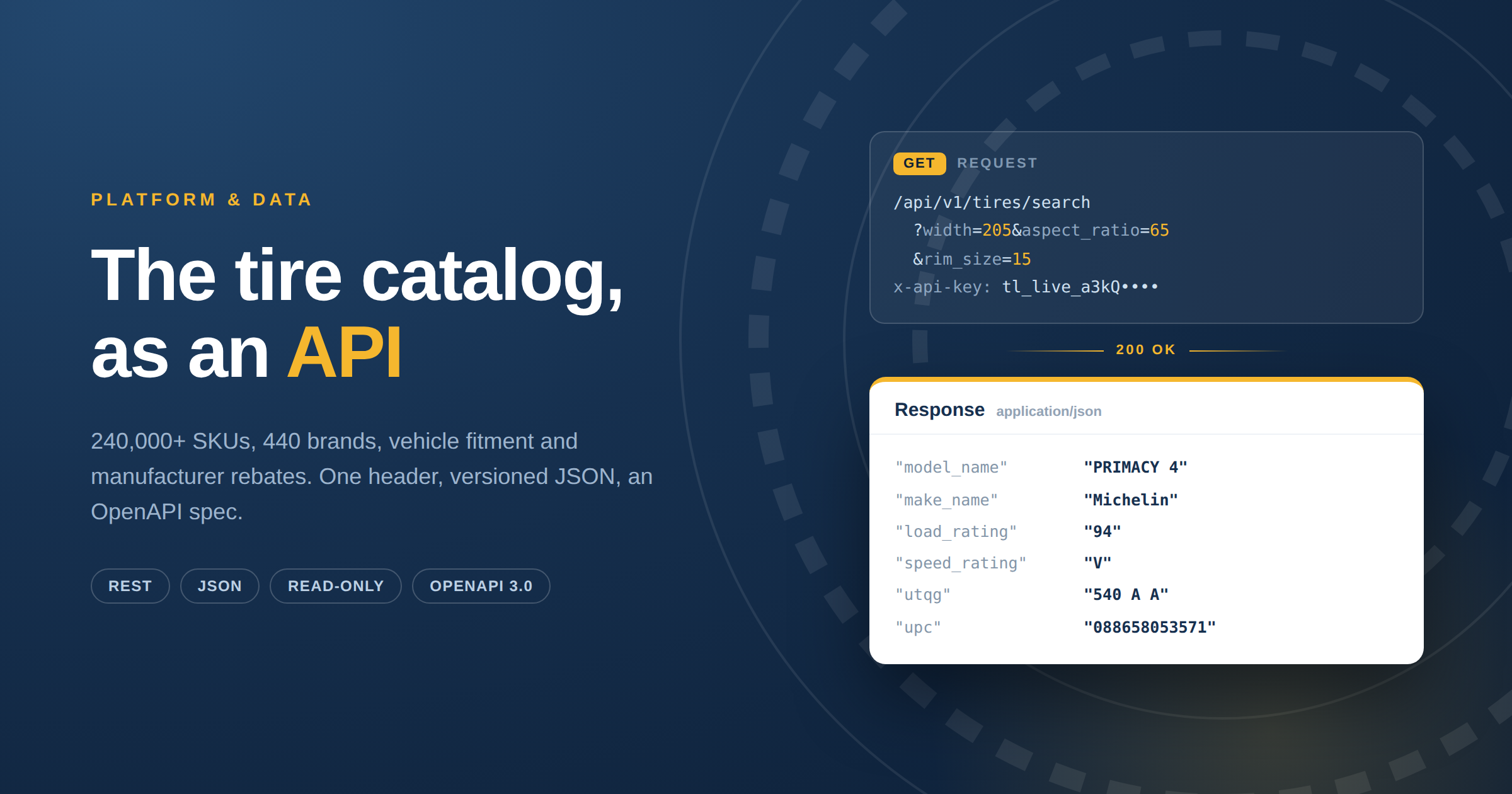
The Tirelibrary API exists so you can skip that. It is a read-only REST API over the same catalog that runs behind every Tireweb product: 240,000+ tire SKUs across 440 brands and 13,000+ models, with vehicle fitment, manufacturer rebates, images and cross-referenced product codes. JSON responses, API-key authentication, a published OpenAPI spec, $250 a month.
This article covers what it does, what it deliberately does not do, and how to make your first call.
What the API actually gives you
Four things, and it is worth being precise about them because they are the reason people buy it.
A normalized catalog. Every tire is cross-coded to Manufacturer Product Code, UPC, GM, ASIN and EAN. This is the part most teams underestimate. Five suppliers describing the same tire five different ways resolve to one record, which is a problem you usually do not discover until month four of building it yourself.
Vehicle fitment. Year, make, model and trim resolves to the sizes that fit, including front and rear positions where they differ.
Manufacturer rebates. Current rebate programs by brand and date range, kept current daily, which is otherwise a manual research task somebody on your team does every month.
Specs and imagery. Load and speed ratings, UTQG, tread depth, revolutions per mile, section width, load capacity, inflation pressure, plus manufacturer-supplied images including 360 degree assets where available, and marketing copy you can render directly.
What it is not
Being clear about this saves everyone a discovery call.
It is not live inventory. The API returns catalog data, not what is sitting in a distributor's warehouse this afternoon. If you need real-time stock and the ability to place orders, that is a different Tireweb surface: the Connections Center API, which reads live availability and pricing from 27 supplier systems and writes orders back.
It is not a pricing feed for your dealer costs. Your buy price lives with your distributor, not in a catalog.
It is read-only. API keys support GET only. POST, PUT, PATCH and DELETE return 405 Method Not Allowed. You cannot write to the catalog, which is exactly what you want from a source of truth.
If those three constraints are dealbreakers, stop here and talk to us about Connections instead. If they are not, the rest of this is straightforward.
The endpoints
| Endpoint | What it does |
|---|---|
/api/v1/tires/search | Search by dimensional attributes: width, aspect ratio, rim size, load rating, speed rating |
/api/v1/tires/catalog | Faceted browse with roughly twenty filters including season, terrain, UTQG, run-flat, 3PMSF, studdable |
/api/v1/tires/{id} | Full detail for one tire size, including specs, cross-codes, images, rebates and fitments |
/api/v1/tires/compare | Side-by-side comparison of multiple tires |
/api/v1/tire-makes | All tire manufacturers |
/api/v1/tire-categories | All categories, for building filter UI |
/api/v1/tire-patterns | Patterns by make, with faceted browse and detail |
/api/v1/vehicle/lookup | Cascading year, make, model, trim to fitment |
/api/v1/rebate | Rebate programs by status, brand and date range |
/api/v1/rebate/{id} | Full rebate detail |
All of them are documented with request and response examples, and all of them are in the OpenAPI 3.0 spec, so you can generate a typed client rather than hand-writing one.
A request, end to end
Authenticate
One header on every request. There is no OAuth dance and no token refresh.
x-api-key: tl_live_your_keyKeys are per company, created from the API Keys page by a user with billing permission. The full key is shown once at creation and never again, so copy it immediately. The prefix, for example tl_live_a3kQ, stays visible in the list so you can tell your keys apart without exposing the secret.
Send it from your backend only. If you are building a web or mobile front end, proxy through your own server. A key in client-side code is a key in someone else's hands.
Search by size
curl -H "x-api-key: tl_live_your_key" \
  "https://app.tireweblibrary.com/api/v1/tires/search?width=205&aspect_ratio=65&rim_size=15"
Or start from the vehicle
The fitment endpoint is a cascading selector. Call it with nothing and you get available years. Add each parameter to drill down. The response tells you which level you are at, so you can drive a four-step dropdown from a single endpoint.
# Available years
GET /api/v1/vehicle/lookup

# Makes for a year
GET /api/v1/vehicle/lookup?year=2024

# All the way to fitments
GET /api/v1/vehicle/lookup?year=2024&make=Toyota&model=Camry&trim=SE
The final response looks like this:
{
  "endpoint": "fitment",
  "options": null,
  "fitments": [
    {
      "name": "2024 Toyota Camry SE",
      "position": "Front/Rear",
      "width": "205",
      "aspect_ratio": "65",
      "rim_size": "16",
      "load_rating": "94",
      "speed_rating": "V"
    }
  ]
}
String filters are case-insensitive throughout, so make=Toyota and make=TOYOTA behave identically. Worth knowing before you write normalization code you do not need.
Then pull the detail
Take the size from the fitment result, search it, and request the full record for whichever tire you want to show.
What comes back
Search results are lean, built for list views:
| Field group | Fields |
|---|---|
| Identity | id, name, item_number, tire_model_id, tire_make_id |
| Size | width, aspect_ratio, rim_size, load_rating, speed_rating |
| Spec | warranty, ply_rating, load_range, utqg, tread_depth, weight |
| Classification | season, terrain, category, studdable, three_pmsf, run_flat, mud_and_snow |
| Display | thumbnail_image, make_name, make_image, model_name |
Detail records add everything you would need for a product page: load_capacity_single and load_capacity_dual, max_inflation_pressure, revolutions_per_mile, rolling_circumference, diameter_overall, sidewall, rim_approved_width, section_width, the cross-codes gm_code, ean, upc and asin, a set of image URLs at several angles and resolutions, plus attached rebates and fitments_grouped.
Pattern records carry the marketing layer: description, features, benefits, image_360_url, video_url and manufacturer_url.
Everything is JSON with snake_case property names. Paginated endpoints return a standard envelope with current_page, last_page, per_page, total and data, so one pagination helper works everywhere.
The operational details
Versioning. Every request includes the version segment. /api/v1/ today. A request without one returns a 400 with Unsupported API version, which is deliberate: when v2 arrives, your v1 integration keeps working unchanged.
Rate limits. 200 requests per minute per key by default, on a sliding window. Over the limit returns 429. Higher limits are available; ask rather than engineering around it.
Pagination. page and per_page, maximum 100 per page. Use 100 when you are pulling large sets and you will make a fraction of the requests.
Errors. 401 for a missing or invalid key, 403 when the subscription does not include API access, 404 not found, 405 for a non-GET method, 429 rate limited, 500 on our side.
Bulk. If you are ingesting the whole catalog rather than querying it, there is a CSV flat-file feed with FTP or SFTP delivery on a schedule you set, filtered to the brands you care about. For a nightly warehouse load that is a better fit than paginating through the API. Different pricing applies for FTP subscriptions.
Using Tirelibrary with an AI agent
If you are building an agent that answers tire questions, the hard part is not the model. It is that the model needs a source of truth it cannot invent. Ask a language model which tires fit a 2024 Camry SE and it will give you a confident answer, and it will sometimes be wrong in a way the customer only discovers at the counter.
Tirelibrary is available as an MCP server, so your agent can search the catalog, resolve vehicle fitment and read current rebates as native tools rather than through integration glue you write and maintain yourself. Same catalog, same daily validation, same records that sit behind every Tireweb product.
Learn more about the Tirelibrary MCP →
What it costs, and the build-versus-buy maths
The API plan is $250 a month, flat. Full access to the catalog, fitment and rebate endpoints, the OpenAPI spec, and developer support.
Compare that honestly against the alternative. Building an equivalent catalog in-house means sourcing data from every manufacturer, normalizing five different naming conventions into one, sourcing and hosting imagery, tracking rebate programs as they change, and re-validating all of it continuously so that the errors do not reach your customers. That is not a project. It is a permanent function, and it is usually one underappreciated person who becomes a single point of failure.
At $250 a month the question is not whether the API is cheaper than building it. It is whether the person you would assign to building it has anything better to do.
Frequently asked questions
What does the Tirelibrary API cost? $250 per month for the API plan, billed through Stripe, with no setup fee.
Is there an OpenAPI spec? Yes, OpenAPI 3.0 at /api/swagger/v1/swagger.json, plus a Swagger UI with a working "Try it out" for every endpoint. Point OpenAPI Generator at it and you have a typed client in your language in about a minute.
Is there an MCP server for Tirelibrary? Yes. Your agent can search the catalog, resolve vehicle fitment and read current rebates as native tools, rather than through integration glue you write and maintain yourself. Get in touch and we will get you set up.
Does the API include live inventory or my distributor pricing? No. It is catalog, fitment and rebate data. Live supplier stock and ordering is the Connections Center API, which is a different product.
How current is the data? The catalog is validated daily against verified manufacturer sources, and rebates are maintained on the same cycle.
Can I write to it? No. Keys are GET only by design.
How many requests can I make? 200 per minute per key by default. Contact us for a higher limit if your workload needs one.
Can I get the whole catalog as a file instead? Yes, as a scheduled CSV flat file over FTP or SFTP, filtered to selected brands. Different pricing applies for FTP subscriptions.
Who is this for? POS and shop management vendors, marketplaces and dealer sites, fleet and fixed-ops software, data teams standardizing tire records across systems, and increasingly, teams building AI agents that need to answer tire questions correctly rather than plausibly.
Start building
Read the API documentation, browse the interactive Swagger UI, or see the full Tirelibrary product page for the catalog, web app and flat-file options.
If you would rather talk it through with someone who knows the data, contact us and we will walk through your use case in thirty minutes.