How Dealerships Sell Tires Online
Most dealerships lose tire business to the aftermarket before the customer ever calls. Here is how fixed ops sells tires online using DMS inventory, distributor stock and your existing service scheduler.
A customer buys a car from you, services it with you for three years, then buys tires somewhere else.
It happens constantly, and it usually isn't a price problem. It's a visibility problem. When that customer decided they needed tires, they did what everyone does: they searched, they compared, and they booked with whoever showed them a size, a price and an appointment time. If your website couldn't do those three things, you were never in the running, no matter how good your service department is.
The frustrating part is that the dealership is often the better option. You have the technicians, the equipment, the OEM fitment knowledge and the relationship. You just weren't answerable at the moment the decision got made.
This is about closing that gap: what it takes for a dealership to sell tires online, and why the obstacles that stop most stores are more solvable than they look.
Why dealerships find this harder than tire shops
An independent tire shop selling online has one system to worry about and a website they control. A dealership has four constraints that a tire shop doesn't, and every one of them has killed a fixed ops tire initiative somewhere.
You probably don't stock much tire inventory. Carrying enough SKUs to answer whatever rolls in isn't realistic in most dealership parts departments, and nobody wants dead stock in expensive floor space. This alone stops most stores before they start, because "sell tires online" sounds like "buy a warehouse of tires first."
Your website isn't entirely yours. Most dealership sites run on OEM-approved platforms, with rules about what can be added and who can add it. Replatforming isn't on the table, and neither is a bespoke ecommerce build.
The DMS is the system of record. Parts, pricing, labor rates and customer history live in Tekion, CDK, Cox or whichever system you run. Anything that requires your team to maintain a second set of numbers somewhere else will be out of date within a month.
Scheduling already has a home. Your service scheduler, whether that's Xtime, your DMS or something else, is what the drive lane and the BDC actually use. A tire booking that lands anywhere other than that schedule creates a second calendar to reconcile, which is worse than no online booking at all.
Any solution that ignores one of these fails quietly. The store runs it for six months, nobody maintains it, and it becomes another tab nobody opens.
What it looks like when it works
The customer experience is unremarkable, which is the point.
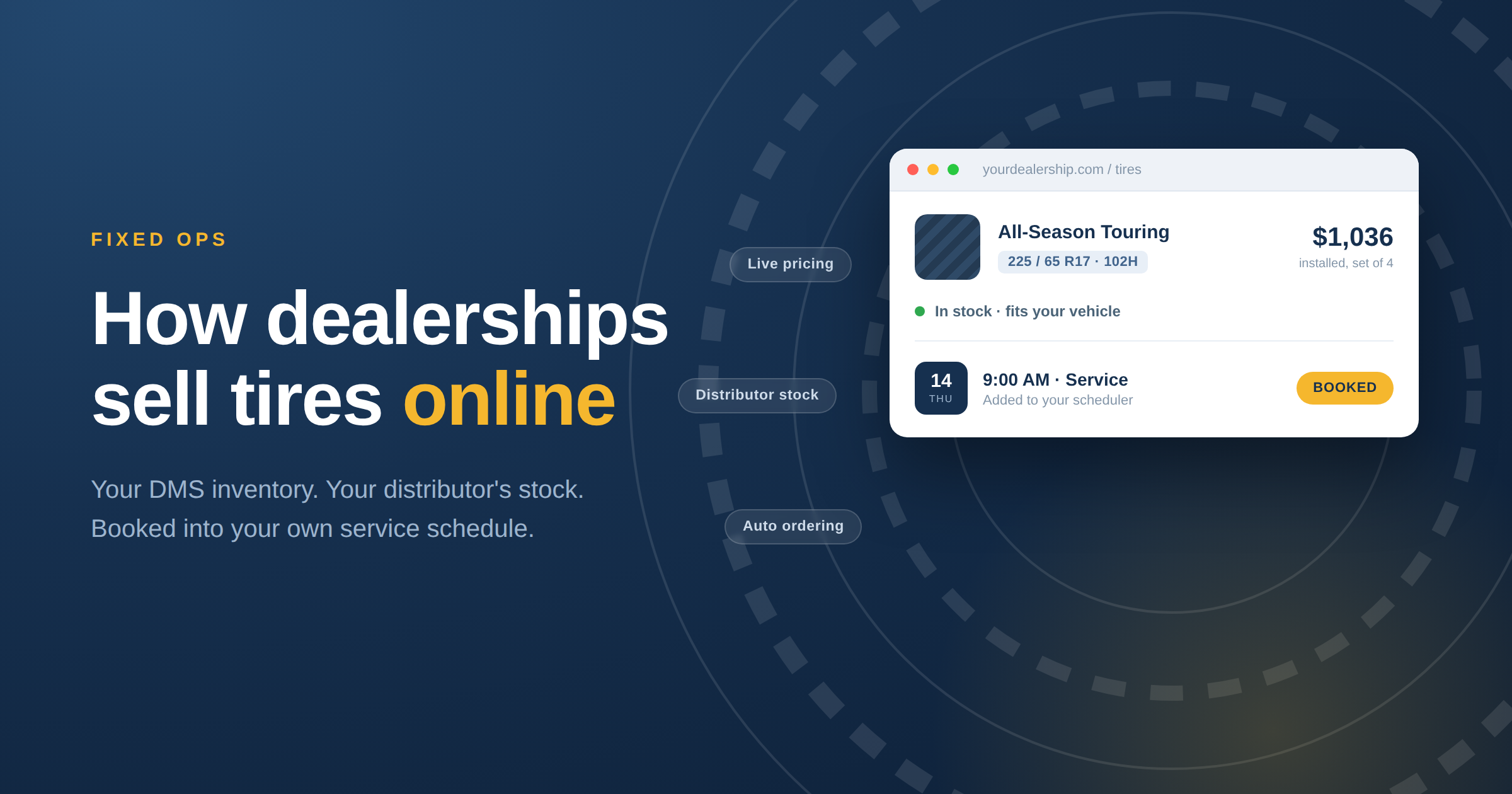
Someone lands on your service pages and searches tires by their vehicle. Because you know their car better than a generic tire site does, the fitment is right, including the OE size and any staggered setup. They see actual tires with actual prices, installed, including mounting, balancing, disposal and tax. They pick a set, choose Thursday at 9am from your real service schedule, and book.
On your side, the appointment appears in the scheduler your advisors already use, with the vehicle, the tire selection and the quantity attached. If the tires aren't on your shelf, the order goes to your distributor automatically so they arrive before the car does.
Nobody called anybody. Nobody re-keyed anything. And a customer who was one search away from the aftermarket is back in your lane.
How it works with the systems you already run
Tires you stock, plus tires you don't. Tireweb TireSearch shows your own inventory alongside live stock from your distributors, so your website can answer for a far wider range of sizes than you physically carry. Everything shown is real and available, with real availability dates. This is what makes the stocking problem go away: you can sell the size in the customer's driveway without owning it first.
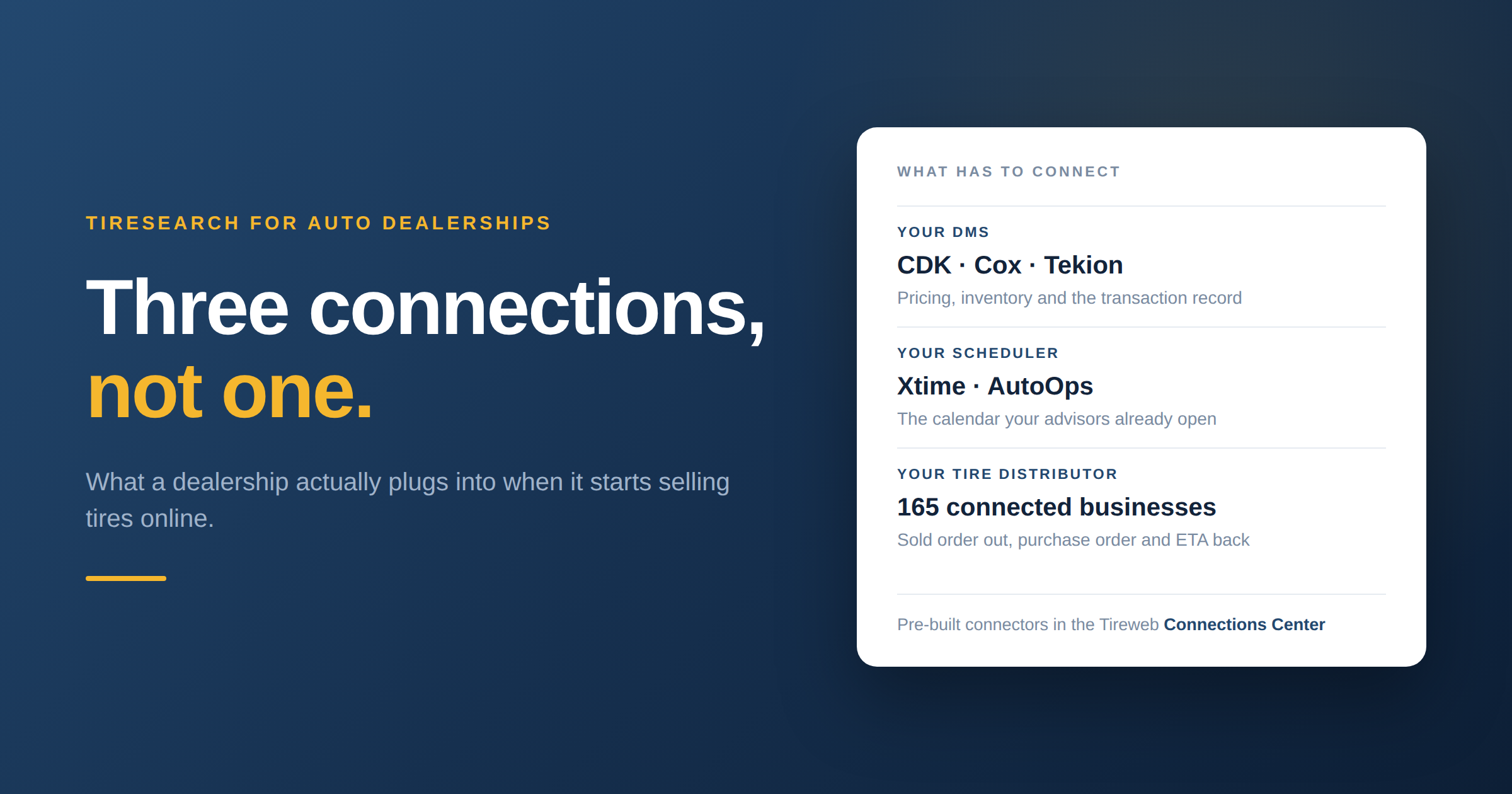
Inventory and pricing read from your DMS. Rather than maintaining a separate tire catalog, TireSearch reads what it needs from the system that already holds it. We connect to Tekion, Cox, CDK and others across our integration directory. Your pricing rules stay where they live, and the number on your website is the number at the counter.
Ordering that happens by itself. When a customer buys a tire you don't have, the order goes to your distributor through your own supplier accounts, on your existing terms. No advisor placing a call, no order that gets forgotten until the customer is already in the waiting room.
Appointments in your scheduler, not a new one. The install books into the service schedule your team already works from, through connections to Xtime, CDK and Tekion. Slots offered online come from real capacity, so you're not promising bays you don't have.
Correct fitment, every time. Behind it sits Tirelibrary, our catalog of 240,000+ tire SKUs with specs, load ratings and OE fitments. Getting the size wrong on a customer's vehicle is expensive in a way it isn't in most retail, and it's the failure mode we designed hardest against.
If you want the detail behind those connections, which system does what and what data moves in which direction, we have written that up separately in how Tiresearch works with Tekion, Cox, CDK and Xtime.
The website question
This is where most fixed ops directors expect to hit a wall, and usually don't.
TireSearch is a widget. It embeds into your existing site, usually as a script tag your website provider can add, so nothing about your OEM-compliant platform changes. You're not migrating, you're not rebuilding, and you're not asking anyone's permission to replace something. You're adding a tire shopping experience to pages you already have.
That constraint, the one that looks like the biggest obstacle, is exactly why a widget suits dealerships better than a full ecommerce platform does.
What this actually changes in fixed ops
Tires aren't only a tire sale. They're the appointment that brings a customer back into your service drive, where alignment, brakes and declined work from the last visit are all sitting there. A store that captures tire business captures the visit, and the visit is where service retention actually happens.
The alternative is what most stores do today: a tire page with a brand list and a phone number, competing against sites that answer the question in ten seconds. That page isn't losing on price. It's losing on being unanswerable.
What you need to get started
Less than most people assume.
- A website you can add a script to, which is nearly all of them
- Your DMS, whichever one you run
- Your existing distributor accounts and terms
- Your service scheduler
- Bays and technicians, which you already have
You do not need to stock tires first, replatform your website, maintain a separate catalog, or add headcount.
Frequently asked questions
Do we have to carry tire inventory?
No. TireSearch shows your own stock alongside live distributor inventory, so you can sell sizes you don't hold. Orders route to your distributor automatically when a customer buys something off-shelf.
Will this work on our OEM-mandated website?
In almost all cases, yes. TireSearch embeds into your existing site rather than replacing it, so your platform and its compliance requirements stay as they are. Your website provider adds the embed.
Which DMS and scheduling systems do you connect to?
We read inventory and pricing from systems including Tekion, Cox and CDK, and write appointments into schedulers including Xtime, CDK and Tekion. The full list is in our integration directory, and we add systems regularly.
Does the appointment go into our real service schedule?
Yes. Slots shown online come from your actual availability, and the booking lands in the scheduler your advisors already use, with the vehicle and tire selection attached.
Who sets the pricing?
You do. Pricing comes from your DMS and your rules, including your labor rates, so the installed price online matches what you'd quote in the lane.
How long does it take to go live?
Implementation depends mostly on your DMS connection and your website provider's turnaround. We'll give you a realistic timeline on a demo call rather than a number that sounds good in an article.
See it with your own data
The fastest way to judge this is to look at it running rather than read about it. You can try the live TireSearch demo now, or book a walkthrough and we'll show you the flow with your DMS and your distributor inventory in it.