What Makes a Great Tire Shop Website (With Real Examples)
The best tire shop websites answer three questions fast: do you have my tire, what will it cost installed, and when can you fit it? Here are the 8 things great sites do, plus six real dealer sites to learn from.
Most people shopping for tires aren't browsing for fun. They have a vehicle, a problem (a worn tread, a nail, a warning light) and usually a deadline. They're often on their phone.
A great tire shop website answers three questions fast:
- Do you have a tire that fits my vehicle?
- What will it cost, installed?
- When can you fit it?
Everything below supports one of those three questions. We'll cover the eight things the best tire shop websites do, then look at six real dealer sites that do them well.
The 8 things every great tire shop website does
1. Puts vehicle and tire size search front and center
The search box is the most important thing on the page. Customers should be able to search by year/make/model or by tire size (width, aspect, rim) without scrolling. Plenty of drivers don't know their size, so vehicle search matters, and a "Where do I find my tire size?" hint helps.
2. Shows real prices and real stock
"Call for price" sends shoppers to the next result. Show actual prices, and make sure they come from your POS or supplier feed rather than a price sheet someone updates when they remember. If a tire's shown as available, it should be.
3. Lets customers book the install
Selling the tire is half the job. The best sites let customers pick an install time as part of buying, so the order and appointment arrive together. A plain "request an appointment" form is better than nothing, but it creates phone tag.
4. Works on a phone first
Design for the small screen first: big tap targets, a search that's easy to use with one thumb, fast load times, and a call or book button that's always within reach.
5. Makes location, hours and contact obvious
Customers want to know how soon they can come in. Show the nearest store's address, hours and phone number clearly. If you have several locations, give customers a store picker, and make each location's details and prices follow their choice.
6. Covers services as well as tires
Alignment, rotation and balancing, TPMS, tire repair, brakes and oil changes are all searched for separately. Give each main service its own clear page or section, rather than a single list.
7. Builds trust
Show the brands you carry, your warranties and road hazard coverage, current manufacturer rebates, financing options and real reviews. These answer the "can I trust this shop?" question before it's asked.
8. Is built to be found locally
A fast, well-structured site with accurate location details and structured data (schema) helps search engines understand where you are and what you sell. Pair it with an accurate Google Business Profile. Our local SEO guide for tire shops covers this step by step, and Google Business Profile management is part of Tireweb Marketing.
Real tire shop websites to learn from
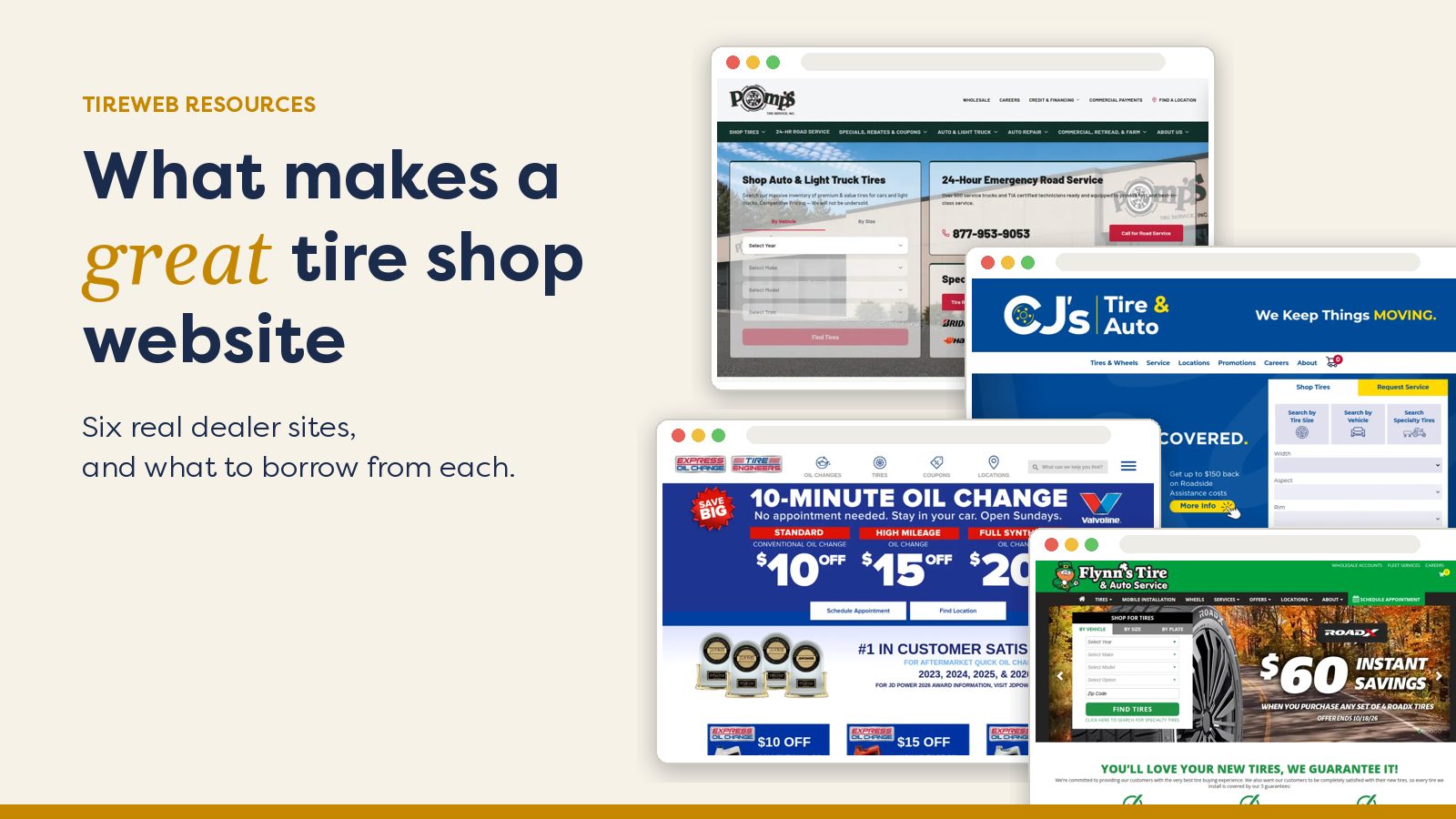
These six dealers run their storefronts on Tireweb. Here's what you can see on each site today, and what's worth borrowing.
BJ's Tire Center
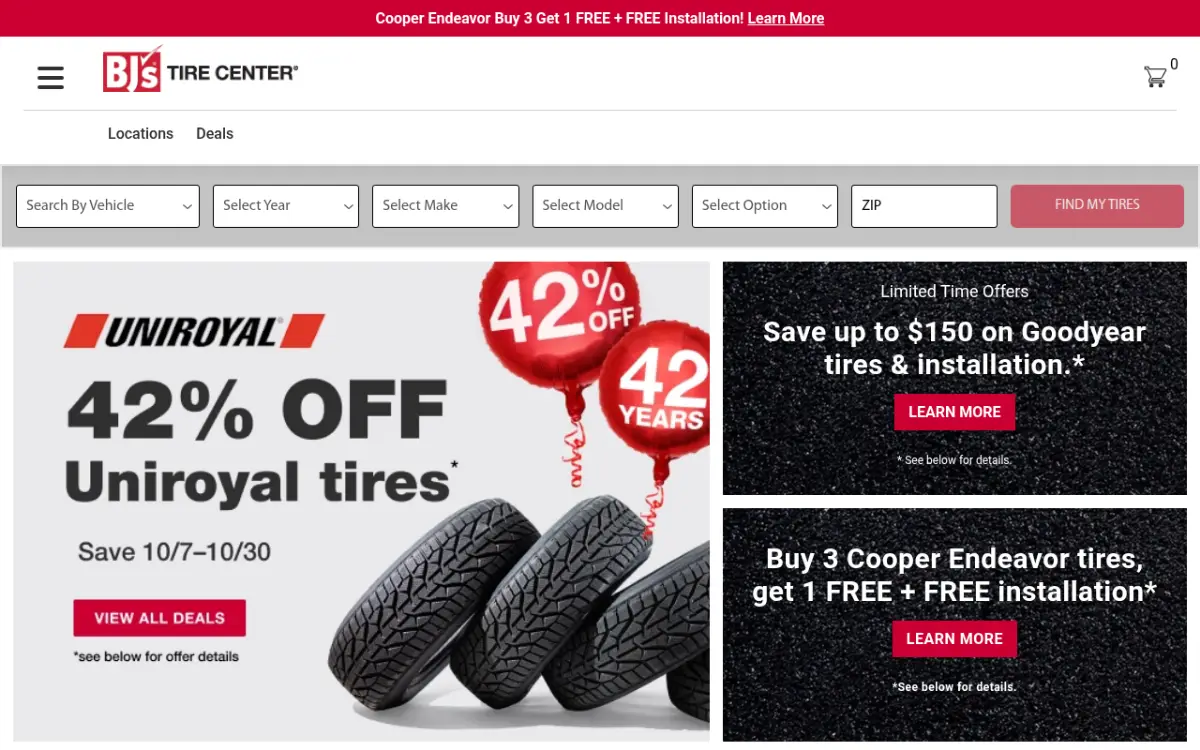
- Customers can search by vehicle, by size or by item number, which suits members who arrive with a product in mind.
- Promotions are front and center, with brand offers and installation deals on the homepage.
- The navigation links straight to locations, deals, brands, alignment, warranty and FAQs.
Lesson: if your customers shop by promotion, give the deals real space on the homepage, but keep the tire search right next to them.
Flynn's Tire & Auto Service
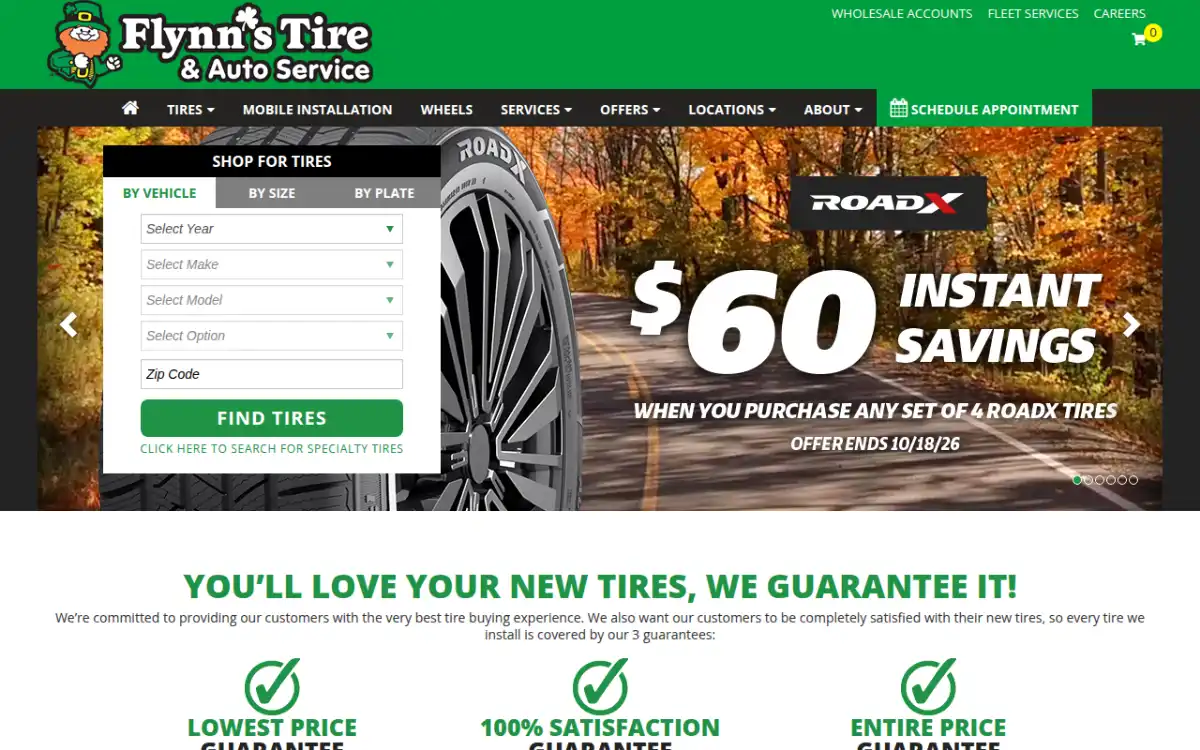
- Tire search works by vehicle, by size or by license plate, with a "Where do I find my tire size?" help link.
- The site covers dozens of locations across Pennsylvania and Ohio, all listed in the navigation.
- There's a full set of service pages, plus mobile tire installation in select areas, wholesale and fleet sections, rebates, coupons and financing.
Lesson: plate lookup and a size-help link remove the most common reason shoppers give up.
Express Oil Change & Tire Engineers
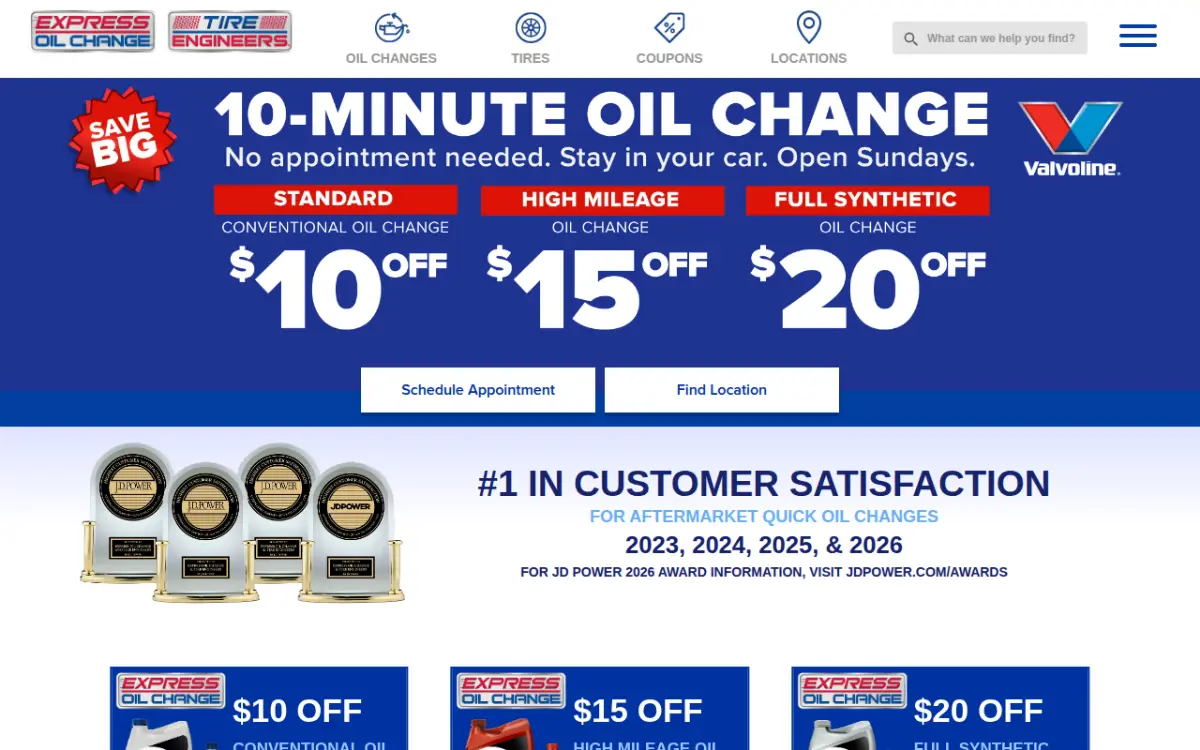
- "Schedule Appointment" and "Find Location" are prominent calls to action.
- Each service, from oil changes to alignment to tire repair, is listed and linked separately.
- Coupons and specials sit high on the page, and the navigation links to tire and service warranties.
Lesson: for a service-led business, put booking and the store finder first, and make each service easy to find.
Pomp's Tire Service
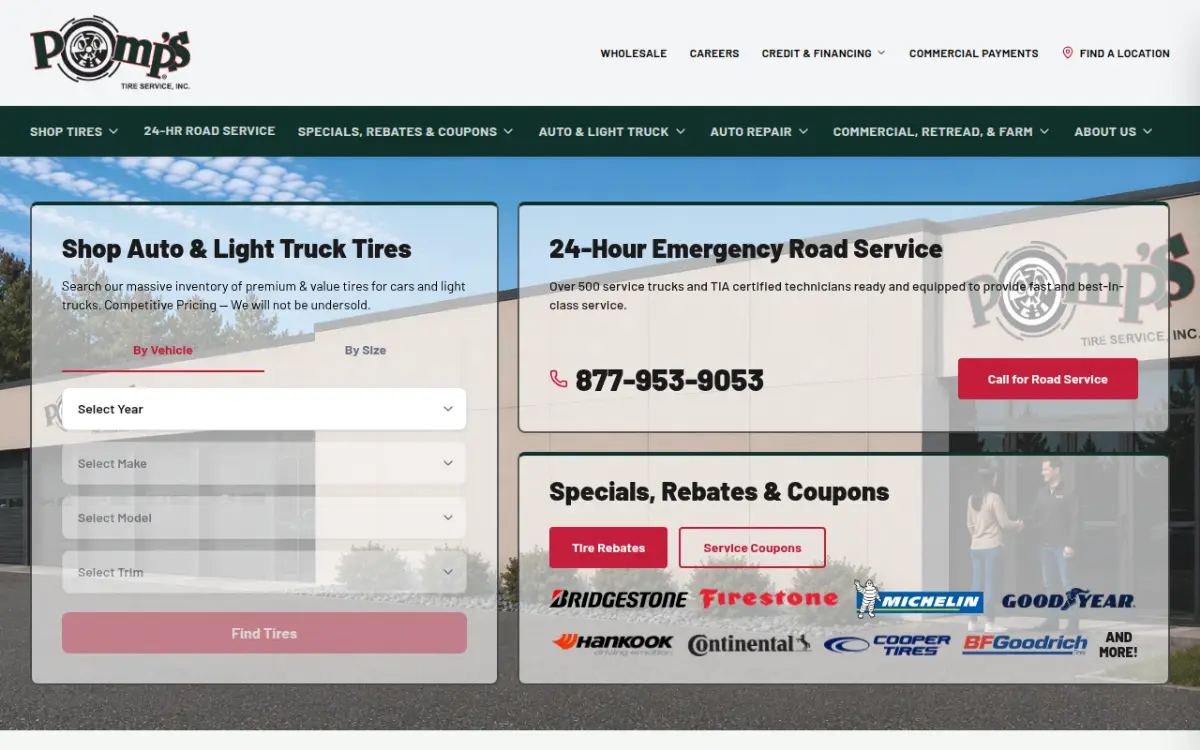
- The site serves several audiences at once: auto and light truck, trailer and specialty, commercial, retread, farm and OTR.
- A 24-hour road service number is easy to spot.
- Rebates, coupons, financing and wheels each have their own section.
Lesson: if you serve both consumers and commercial customers, give each a clear path from the menu so neither gets lost.
Cassidy Tire & Service
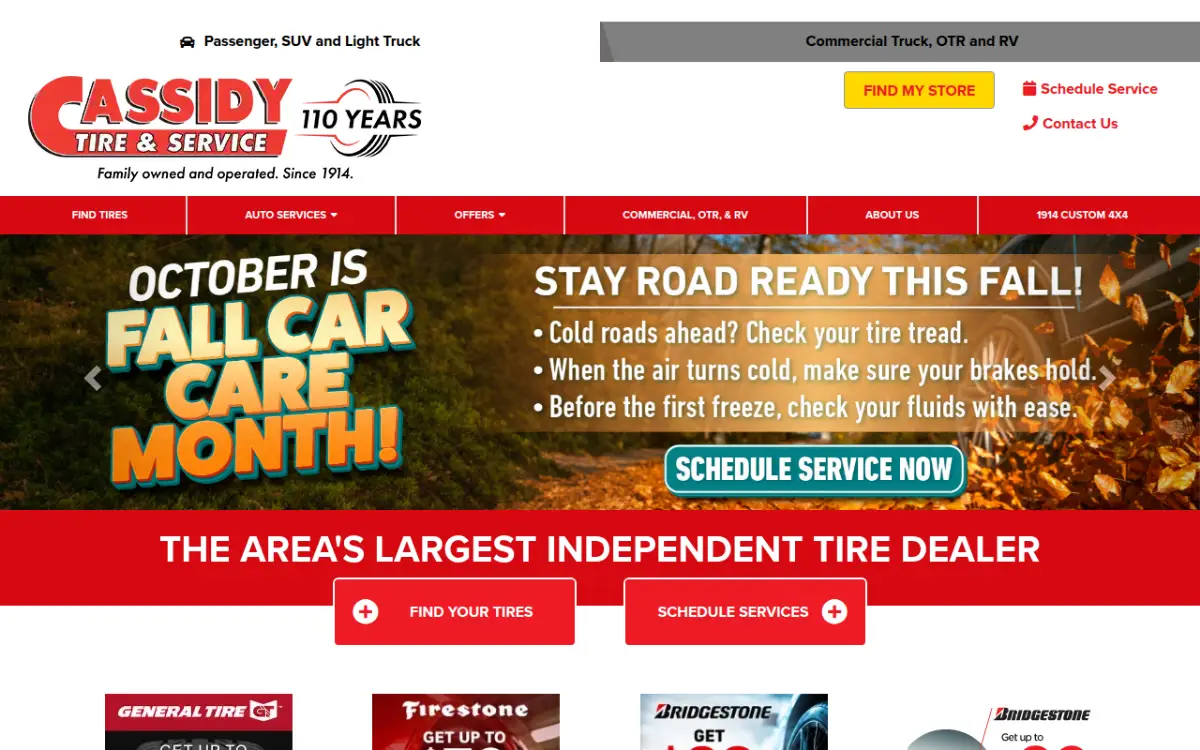
- A "My Store" selector shows the chosen location's address, hours and phone number at the top of the page.
- Tire search works by vehicle or by size, alongside "Schedule Service" and "Tell Us the Symptoms" options.
- Passenger and SUV tires are kept separate from commercial truck, OTR and RV.
Lesson: a store picker with hours on show answers "can I come in today?" before anyone has to call.
CJ's Tire & Auto
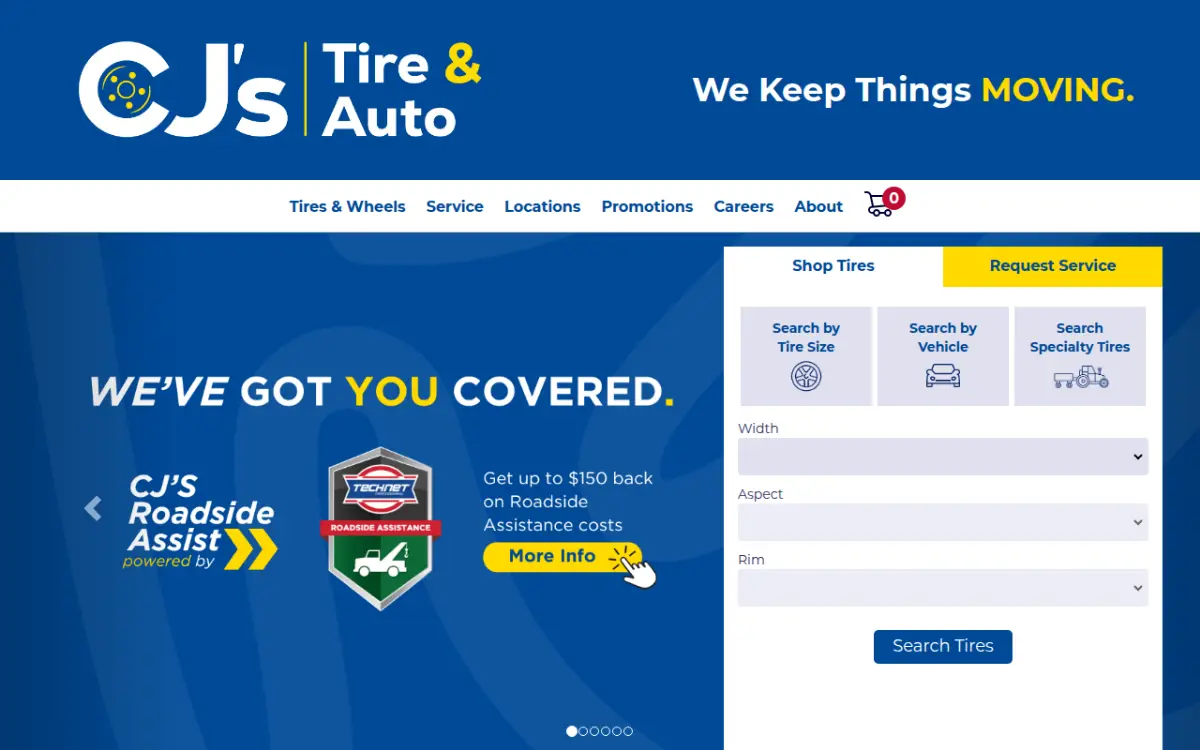
- Search works by tire size, by vehicle or for specialty tires, using a ZIP code to localize results.
- A price match promise, protection plan and nationwide warranty are all highlighted.
- There's a loyalty rewards program, roadside assistance and commercial accounts.
Lesson: trust signals like price match and warranties belong close to the search box, not hidden on an "About" page.
See more live tire shop websites on Tireweb →
Common mistakes to avoid
- PDF price lists. These are hard to read on a phone, impossible to search and always out of date.
- "Call for price" on everything. Many shoppers won't call. They'll go to the next result instead.
- A contact form instead of booking. It creates back-and-forth and slows the sale.
- Slow, plugin-heavy templates. Every extra second on a phone costs you customers.
- Never testing on mobile. Try buying a tire on your own site from your phone. If it's painful for you, it's painful for customers.
- Thin, copy-pasted location pages. Each location needs its own accurate address, hours and phone number. A page that only swaps the town name doesn't do much.
Template, DIY builder or tire-specific platform?
You have three broad options:
- Generic templates are quick to put up, but vehicle search, live pricing and booking usually mean add-on plugins and manual updates.
- DIY page builders are cheap and flexible, but you're responsible for sourcing tire data, connecting your POS and maintaining it all.
- Tire-specific platforms come with vehicle search, fitment data, POS-connected pricing and install booking built in, so you're designing around a working tire store rather than building one.
If you're weighing your options for tire shop website design, see how Tireweb Retail compares. Retail sites typically launch in 4 to 6 weeks, connect to your POS through Tireweb Connections, and can add wheel sales with a wheel visualizer. For the bigger picture of what runs behind the site, read our guide to tire shop software.
Tire shop website checklist
Use this to review your current site:
- Vehicle search visible without scrolling
- Tire size search, with a "find my size" help link
- Real prices shown (no "call for price" by default)
- Prices and stock come from your POS or supplier feed
- Install booking inside checkout
- Booking confirmations by email or SMS
- Call and book buttons always reachable on mobile
- Pages load fast on a phone
- Nearest store address, hours and phone easy to find
- A store picker, if you have multiple locations
- A clear page or section for each main service
- Brands carried
- Warranties and road hazard coverage explained
- Current manufacturer rebates shown
- Financing options shown
- Real customer reviews
- HTTPS everywhere
- Structured data (schema) for your business and locations
- Google Business Profile matching your site's details
- Commercial or fleet path, if you serve those customers
Frequently asked questions
What should a tire shop website include?
At minimum: vehicle and tire size search, real prices, install booking, clear location and hours, service pages and trust signals like warranties and reviews. It should be fast and easy to use on a phone.
Should tire shops show prices online?
Yes, in most cases. Shoppers compare prices before they call, and "call for price" often sends them to a competitor. Showing prices from your POS keeps them accurate.
Can customers book a tire install online?
Yes. On platforms with booking built into checkout, customers choose their tires and an install slot together, and the appointment lands on your shop calendar.
How long does it take to build a tire shop website?
It depends on the approach. On Tireweb Retail, sites typically launch in 4 to 6 weeks, including design, POS connection and testing.
Does a tire shop website need ecommerce, or just booking?
Booking alone is a good start. Full ecommerce, where customers choose tires, see prices and pay or reserve online, removes even more friction and captures sales after hours.
How do I get my tire shop website to rank locally?
Start with a fast, mobile-friendly site, accurate location details, structured data and a well-maintained Google Business Profile. Our local SEO guide for tire shops covers the details.