Tire Shop Software: What You Actually Need (POS, Website, Booking and Data)
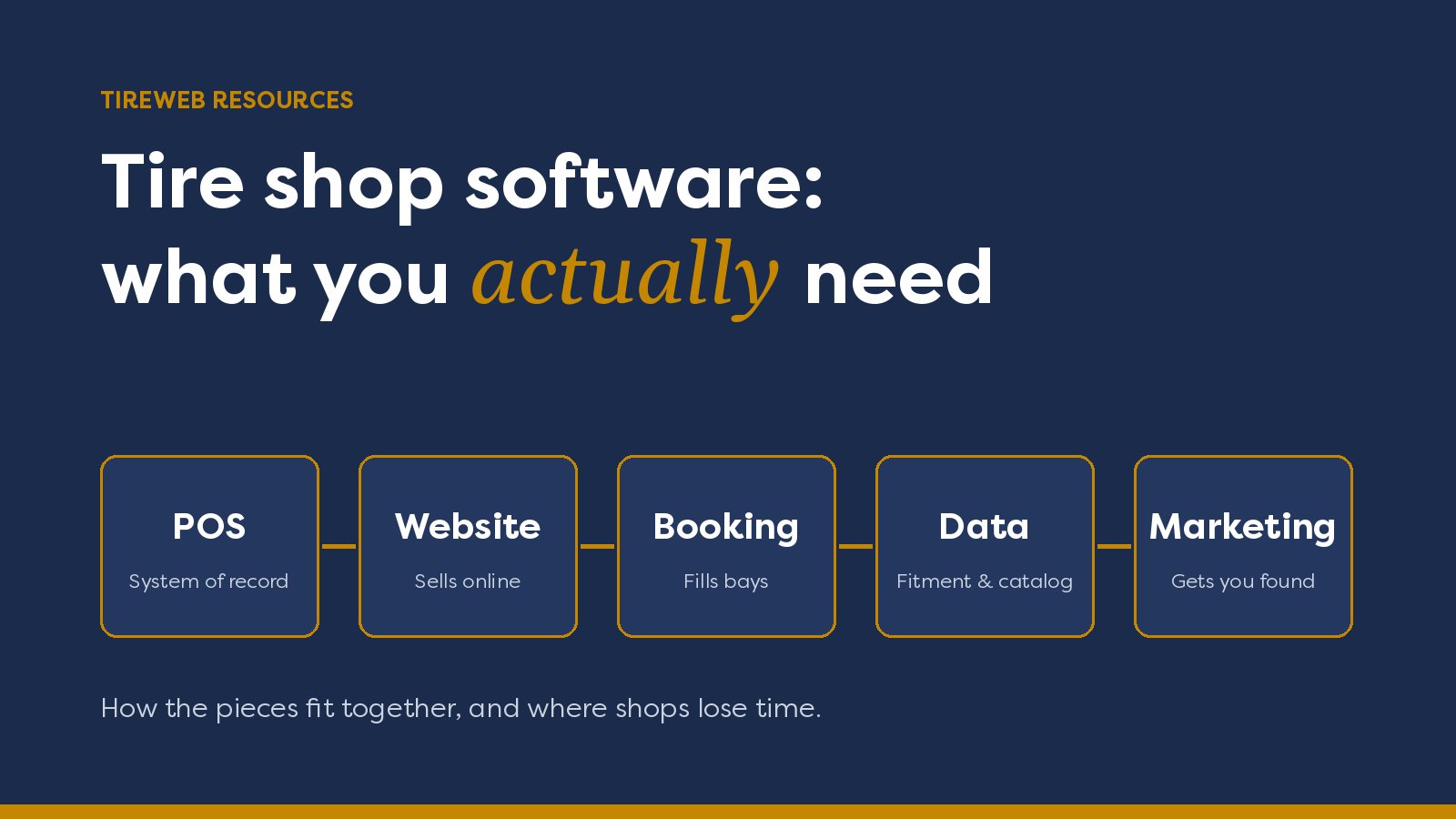
"Tire shop software" can mean five different tools. This guide maps the whole stack (POS, website, booking, fitment data, distributor inventory and marketing) and shows how the pieces should connect.
Ask five tire dealers what "tire shop software" means and you'll get five answers. One means the point-of-sale system at the counter. Another means the website. Another means the app that books installs, or the catalog that tells you which tire fits a 2019 F-150.
They're all right. A modern tire shop runs on several pieces of software, and the trouble usually isn't any single piece. It's the gaps between them: prices that don't match, orders retyped by hand, and a second calendar nobody trusts.
This guide maps the whole stack: what each layer does, whether you need it, and how the layers should connect.
The tire shop software stack at a glance
Here's each layer, what it does, and whether you need it:
- POS / shop management: invoices, work orders, inventory, accounts and reporting. You need it, because it's your system of record.
- Website and ecommerce: lets customers find, price and buy tires online. You need it if you want online sales, not just phone calls.
- Install booking: lets customers pick a time and holds a bay. You need it, ideally built into checkout.
- Tire catalog and fitment data: matches vehicles to sizes, specs, images and rebates. You need it, and it's usually licensed rather than built.
- Supplier / distributor inventory: shows what you can buy, not just what's on the rack. It's helpful for most shops and essential for some.
- Marketing and local search: gets you found and keeps your listings accurate. You need it if you want new customers.
1. POS and shop management software (the system of record)
What it does
Your POS or shop management system is where the business actually lives. It handles invoicing and payments, work orders, inventory and purchasing, customer and vehicle history, accounts receivable for commercial customers, and reporting. Most tire-focused systems also handle DOT tire registration.
Everything else in your stack should read from it or write back to it. If your website shows a price your POS doesn't know about, you have a problem.
Tire-specific vs. generic auto-repair POS
Generic auto-repair systems are built around parts and labor. Tire shops need more: searching by size (width, aspect, rim), load and speed ratings, front/rear staggered fitments, outside purchases from distributors, and registration. Tire-specific systems handle these natively, so check how any system deals with them before you sign.
Common tire POS and ERP systems
These are some of the POS and ERP systems tire businesses commonly run, listed neutrally rather than ranked. Each link goes to its page in the Tireweb Connections Directory:
- MaddenCo
- ASA GTX
- ASA TireMaster
- Microsoft Dynamics 365
- NetSuite
- Protractor
- SAP Business One
- TCS TirePower
- Tire Guru
- TireShop
- VAST
Larger dealer groups and wholesalers often run an ERP such as NetSuite, SAP Business One or Dynamics 365 alongside, or instead of, a tire-specific POS.
Questions to ask a POS vendor
- Can other systems connect to it? Ask about APIs, file exports and existing integrations. A closed POS makes everything else harder.
- Cloud or on-premise? Both work, but they change how integrations, backups and remote access are handled.
- Does it handle multiple locations? Think about transfers between stores, per-store pricing and consolidated reporting.
- Can you get your data out? You should be able to export customers, vehicles and history if you ever switch.
2. Your website and ecommerce storefront
There's a big difference between a website that describes your shop and one that sells from it.
A brochure site lists your services, hours and phone number. That's useful, but every tire sale still needs a call. A selling site lets a customer enter their vehicle or tire size, see real tires at real prices, pick an install time and pay or reserve online.
To work properly, a selling site has to read prices and stock from your POS. A site run from a manual price sheet drifts out of date fast. Then you're either honoring the wrong price or apologizing for it.
When you compare options, look for:
- Vehicle (year/make/model) and tire size search on the homepage
- Live pricing and stock from your POS or supplier feed
- Good/better/best choices, not an endless list
- Manufacturer rebates shown next to the tire
- Install booking inside checkout
- A design that looks like your shop, not a generic theme
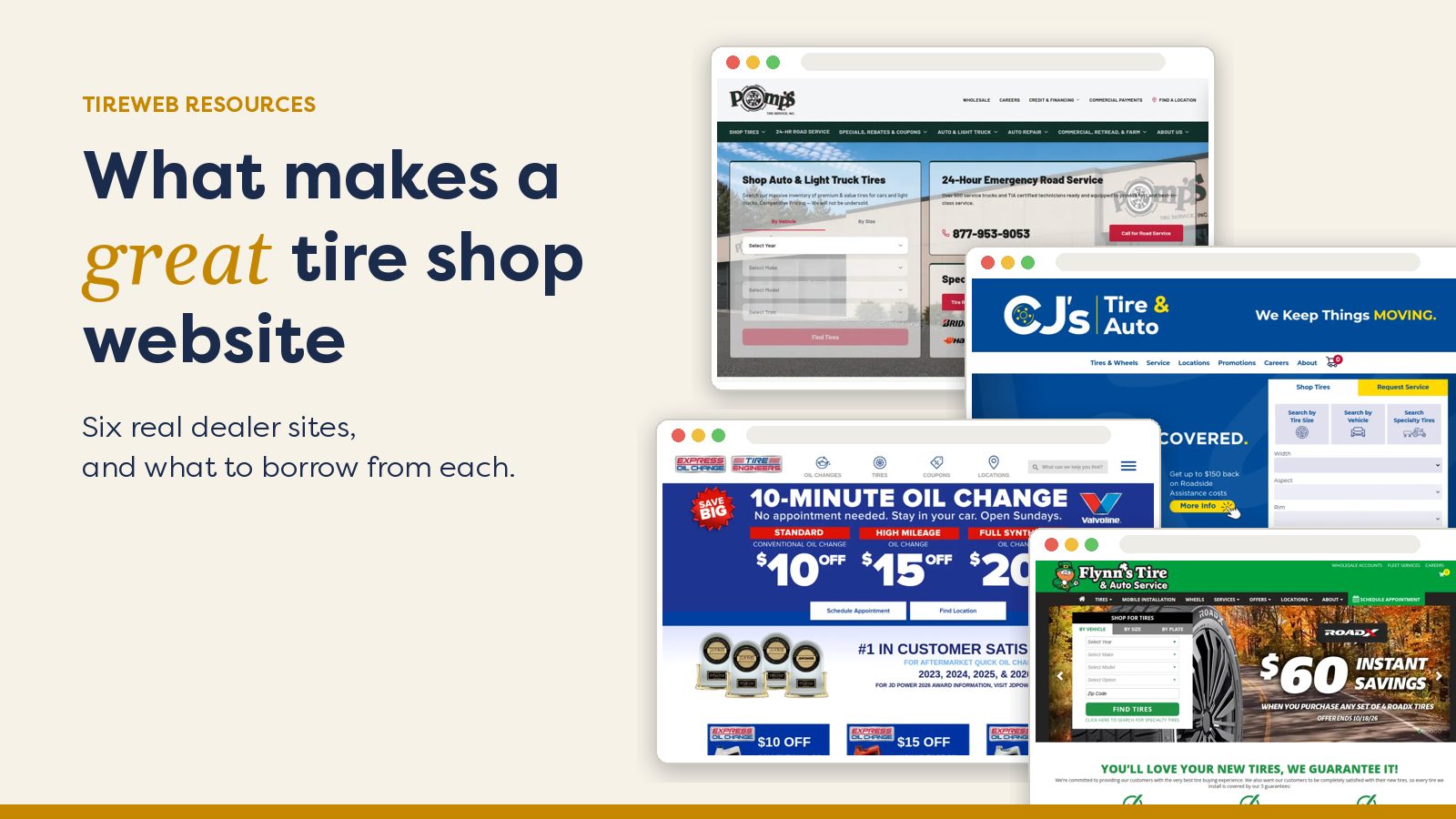
Tireweb Retail is our tire shop website and ecommerce platform, built around exactly that flow. Shops typically launch in 4 to 6 weeks. If you want to see what good looks like first, our guide to great tire shop websites, with real examples walks through six live dealer sites.
3. Online appointment and install booking
Selling a tire online is only half the job. The customer still has to get it fitted.
There are two common setups:
- A standalone scheduling tool, linked from your site. It's easy to add, but the booking and the tire order live in different places, so someone has to match them up.
- Booking built into checkout. The customer picks tires and an install slot in one flow, and the appointment lands on your shop calendar against the actual order.
Whichever you choose, check that it respects real bay capacity (not just "open hours"), sends email and SMS confirmations and reminders, and lets your team move or cancel appointments easily.
4. Tire catalog and fitment data
Vehicle search only works if the data behind it is right. Fitment data matches a vehicle to its original-equipment tire sizes, and the catalog adds specs, images, warranties and rebates for each tire.
Very few shops build this themselves. It takes constant upkeep as manufacturers add, change and discontinue tires. Most license it from a data provider and focus on their own pricing and stock.
Tirelibrary is Tireweb's tire fitment and catalog data. It covers 240,000+ tires across 440+ brands, with manufacturer images, specs and fitment. It powers vehicle and size search on Tireweb storefronts, and it's available to other systems too, including AI assistants.
5. Supplier and distributor inventory
Your rack is only part of what you can sell. Most shops can get many more tires from their distributors the same day or the next day. If your counter staff and your website can't see that stock, you lose sales you could have made.
There are a few ways to bring distributor inventory in:
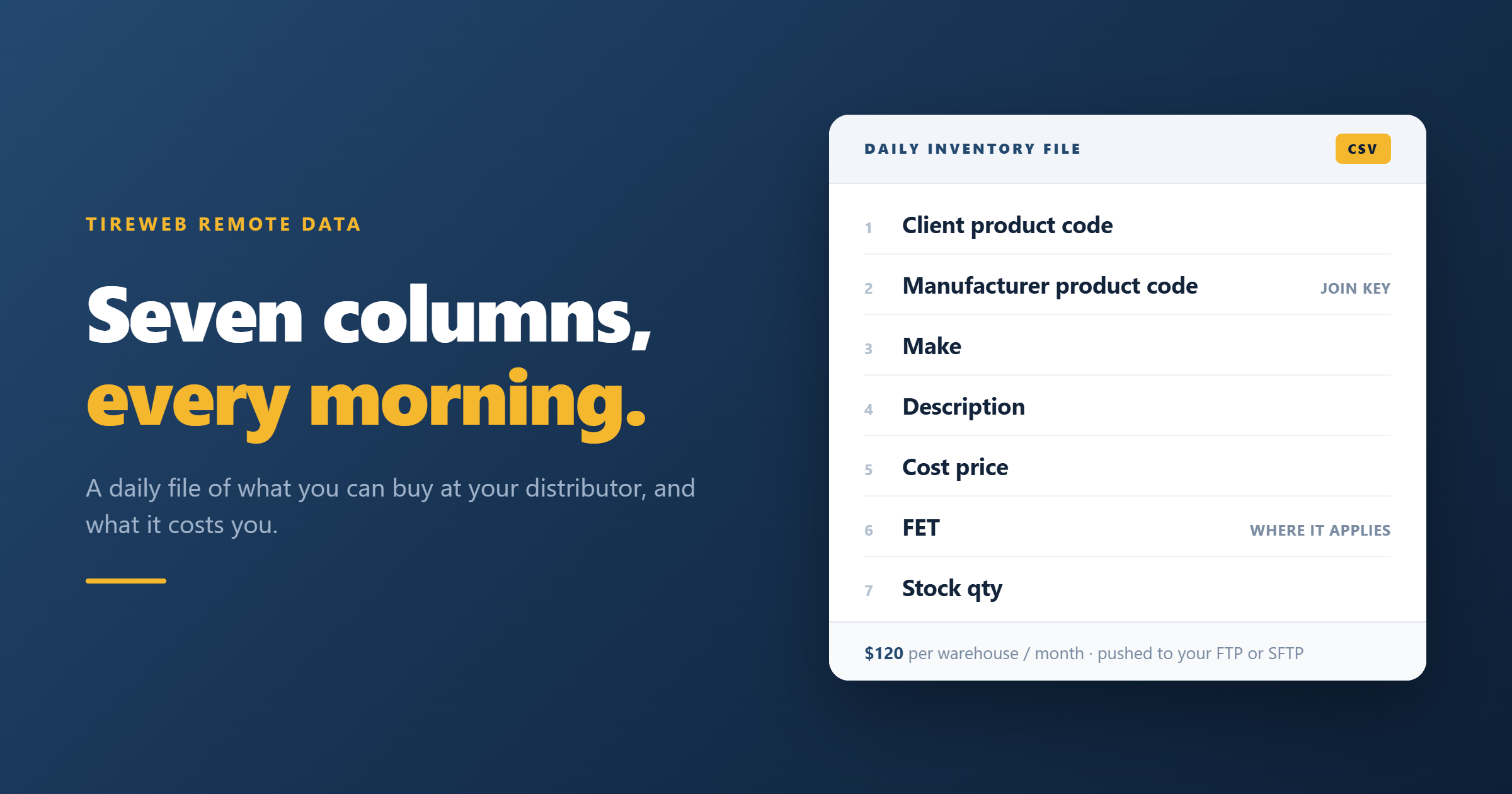
- Daily files of the distributor's stock and your pricing, delivered to your server. This is the least technical option. See distributor inventory as a daily file.
- Supplier feeds set up through your POS or website platform.
- Real-time connections, where the distributor supports them.
6. Marketing and local search
Most tire purchases start with a local search, so the best software stack in the world won't help if nobody finds you. The marketing layer covers your Google Business Profile, reviews, ads, and consistent name, address and phone details across directories.
This is often handled by an agency, but it works better when the agency can see your actual website and inventory. Our local SEO guide for tire shops covers the basics, and Tireweb Marketing handles it inside the same platform as your storefront.
How the pieces connect (and where shops lose time)
Most of the pain in a tire shop's software comes from systems that don't talk to each other. Common symptoms:
- Re-keying orders. An online order arrives by email and someone types it into the POS.
- Mismatched prices. The website shows one price, the counter quotes another.
- Phantom stock. The site sells a tire that sold in the store yesterday.
- Two calendars. Online bookings and phone bookings live in different places.
The fix is two-way sync between your POS and everything customer-facing. Prices and stock flow out from the POS to the website. Orders and appointments flow back into the POS automatically. Nobody retypes anything.
In practice, the connections look like this:
- Your POS or ERP is the system of record.
- An integration layer keeps everything in two-way sync.
- Prices and stock flow out to your website, booking and marketing.
- Orders and appointments flow back into your POS, with no retyping.
This is what Tireweb Connections does. It provides pre-built connectors for tire-industry POS and ERP systems. Browse the Connections Directory to check yours.
How to choose: a checklist by shop type
Single-location independent
- Start with a tire-specific POS you trust.
- Add a selling website connected to it, with booking in checkout.
- Get your Google Business Profile right before spending on ads.
Multi-location dealer group
- Check that the POS handles per-store stock, pricing and transfers.
- Your website needs a store picker, with each location's hours, calendar and stock.
- Each location needs its own accurate local listing.
Shops that also wholesale
- You need commercial accounts, contract pricing and accounts receivable in the POS.
- Consider an ERP if you're running a distribution business alongside retail.
- Plan for B2B ordering separately from your consumer storefront.
Auto dealership service departments
- The constraint is your DMS and service scheduler, not a tire POS.
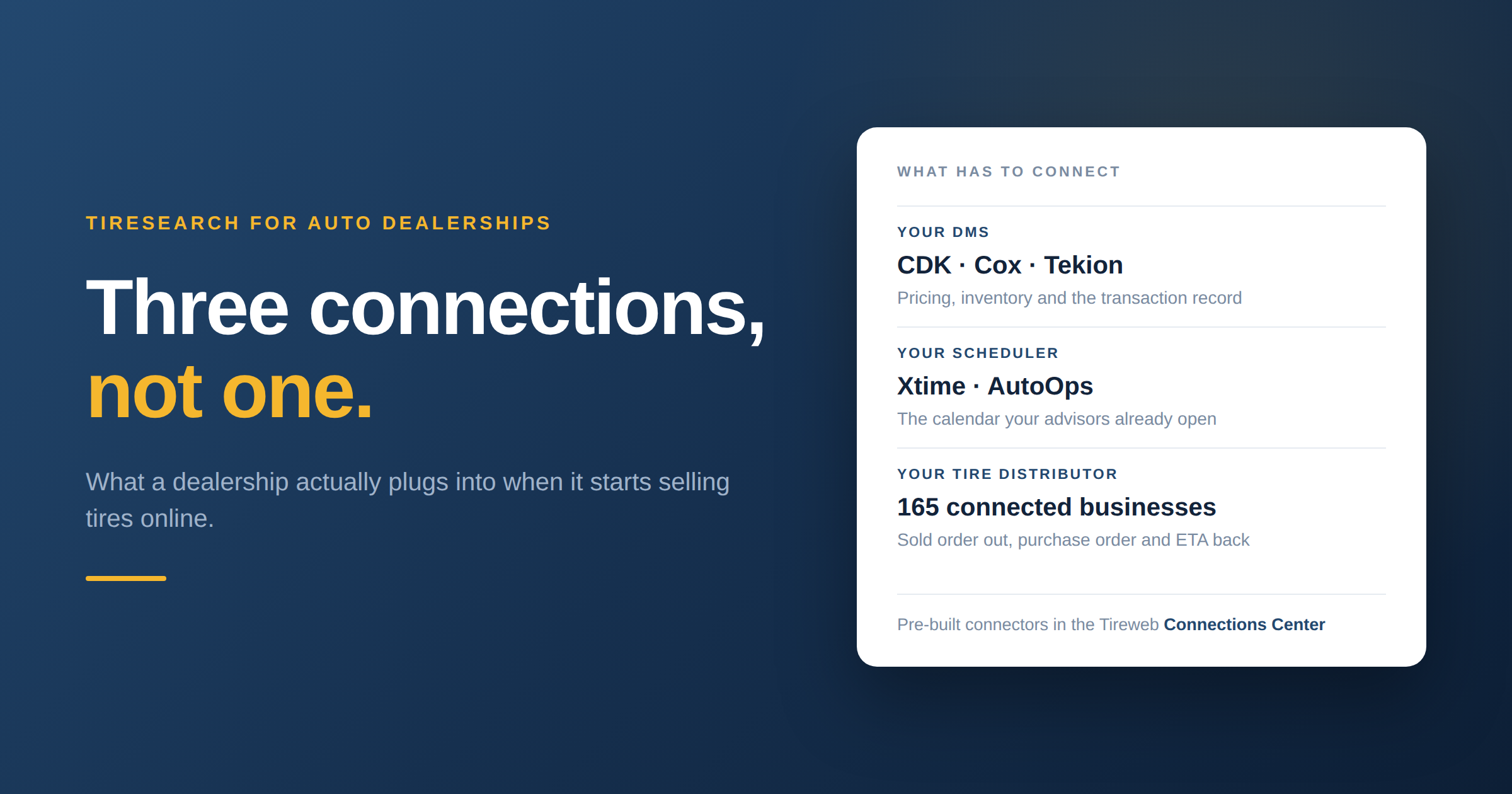
- See how Tiresearch works with Tekion, Cox, CDK and Xtime.
Where Tireweb fits
Tireweb doesn't replace your POS. It connects to it. On top of that connection, Tireweb runs your branded storefront and install booking (Retail), the catalog and fitment data behind it (Tirelibrary), wheel sales (Wheels) and local marketing (Marketing). If you'd like to see it running on your own products and pricing, book a walkthrough.
Frequently asked questions
What is the best software for a tire shop?
There isn't one best tool, because "tire shop software" covers several jobs. Choose a tire-specific POS that suits your size, then make sure your website, booking and marketing tools connect to it. The connections matter as much as the individual tools.
What's the difference between tire shop POS and shop management software?
The terms overlap. "POS" usually means the counter and invoicing side. "Shop management" adds work orders, scheduling, technicians and reporting. Most tire-specific systems do both.
Do I need a separate website platform if my POS has ecommerce?
Not always. Some POS add-ons work fine. Compare them on design control, vehicle search quality, install booking and local SEO. A dedicated storefront platform that syncs with your POS often does better on the customer-facing side.
Can my tire shop website pull live inventory from my POS?
Yes, if your website platform has a connector for your POS. With two-way sync, prices and stock update on the site and online orders flow back into the POS automatically.
What does tire shop software cost?
It varies widely. POS systems are usually priced per location or per user each month, and website platforms usually charge a setup fee plus a monthly fee. Ask every vendor about integration costs too, since they're easy to miss.
Is cloud-based tire shop software better?
Cloud systems are easier to access from anywhere and usually easier to connect to other software. On-premise systems can still connect well. Ask what integration options each one supports.