Tireweb Remote Data: your distributor's inventory and pricing as a daily file
A daily file of the stock you can actually buy at a distributor, with your own pricing, delivered to your server. It is the least technical way to get distributor data into your POS, your website or a spreadsheet.
You can see your distributor's stock on their website. Your point of sale cannot.
So the counter has two screens open. Someone looks up a size in the POS, does not find it in your own inventory, switches to the distributor's portal, checks stock, checks the price, works out the sell price in their head, and comes back. Every time. And nobody can run a report across it, because the data was never anywhere you could query.
Tireweb Remote Data is the least technical way to close that gap. It is a file.
What it actually is
Once a day, overnight, Tireweb generates a file of the inventory you have access to at a particular distributor warehouse, with your cost price against every line, and pushes it to your FTP or SFTP server.
That is the whole product. No API to build against, no integration project, no developer. A file lands on your server every morning and whatever you have that can read a CSV can use it.
It works with any distributor on the Tireweb platform, with one condition: that distributor has to give permission. The data is theirs, and nobody gets a feed of it without them agreeing.
It sits inside Tireweb Connections as the supplier feeds tier, which matters mainly because it means the same normalization work applies. If you take feeds from more than one distributor, the product codes line up rather than each supplier arriving in its own format.
What is in the file
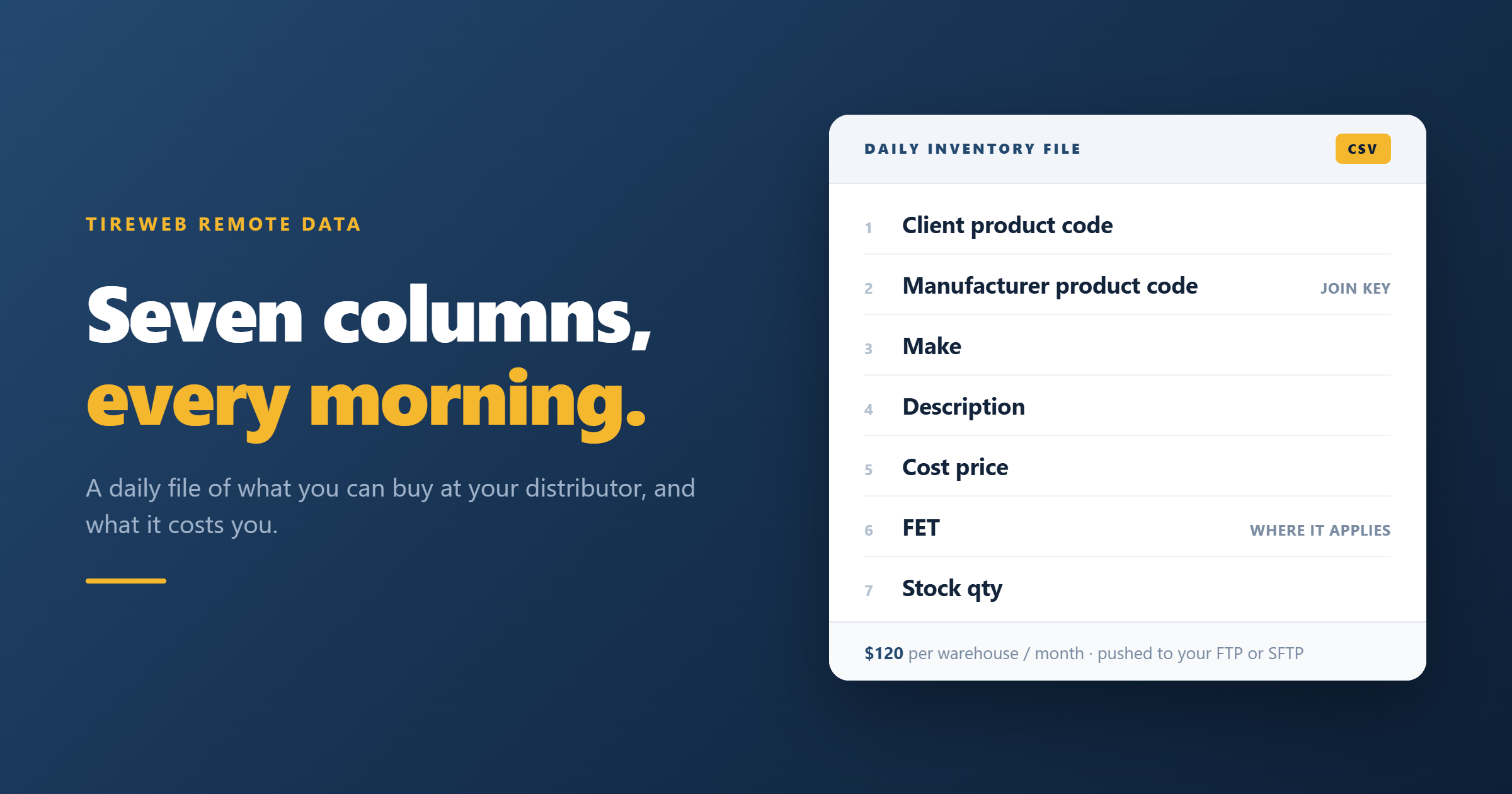
Seven columns. That is deliberately narrow, and knowing exactly what you get makes it much easier to work out whether it fits what you are building.
| Column | What it is | Why it matters |
|---|---|---|
| Client product code | The distributor's own code for the item | This is what you quote back when you place the order |
| Manufacturer product code | The cross-vendor identifier for the tire | The key you join everything else on |
| Make | The brand | Grouping, filtering and brand-level pricing rules |
| Description | The product description text | What a human reads on a quote or a pick list |
| Cost price | Your buy price with that distributor | The number your margin is calculated from |
| FET | Federal excise tax, where it applies | Part of landed cost, and easy to forget |
| Stock qty | Units available at that warehouse | Whether you can actually get it |
Two of those deserve a closer look.
The manufacturer product code is the important one. The client product code is specific to that distributor, so it is useless for comparing anything. The manufacturer product code is the same tire wherever it comes from, which is what lets you line up two distributors' files against each other, spot that you are paying more at one warehouse than another for the identical product, and join the feed to a product catalog. If you build one thing properly, build on that column.
FET catches people out. Federal excise tax applies to heavier truck tires in the US, and it is a real cost that has to be in your landed cost before you calculate a margin. Plenty of homegrown pricing spreadsheets quietly omit it and then wonder why commercial work is less profitable than the sheet says. It is in the feed, so use it.
How it arrives
- One overnight export, containing inventory and pricing, included in the base fee.
- Delivered by FTP or SFTP, pushed to a server you nominate. You supply the hostname, the protocol, the port, and credentials. Tireweb pushes to you, so nothing needs to be exposed from your side beyond an inbound file drop.
- Per warehouse. A connection is to a specific distributor warehouse. If you buy from three warehouses, that is three connections.
- Up to two additional exports per day are available if you need fresher stock, subject to approval depending on technical capacity.
What people do with it
Load it into the POS. The most common use. Your counter sees distributor availability and your cost in the same screen as your own inventory, so the second screen goes away and so does the mental arithmetic.
Power a website or online store. If you have a site that can ingest a product file, the feed gives you something to sell without commissioning an integration. Worth pairing with a catalog, for reasons covered below.
Purchasing and margin analysis. Once the data is in a system you can query, questions that used to be unanswerable become ordinary. What is my average cost by brand this month. Which sizes am I consistently buying at a worse price than I assumed. Where is the same product cheaper at a second warehouse. None of that is possible while the data lives on somebody else's website.
Feed other applications. Anything that reads a CSV. A spreadsheet, a BI tool, a homegrown quoting sheet, a scanning workflow, an automation in your own stack. This is the quiet advantage of a flat file over an API: it does not require anyone's permission or skills to consume.
What it costs
- $120 USD per month, per warehouse, including the overnight export.
- $20 USD per month, per warehouse, per additional export, up to two extras a day.
What it is not
Being straight about this saves a disappointing first week.
It is not a product catalog. Look at the seven columns again. There is a description, and there is no spec sheet, no image, no load or speed rating, and no vehicle fitment. That is fine for an internal system where somebody already knows what they are looking at, and it is not enough for a customer choosing a tire.
The way you close that gap is to join the feed to a catalog on the manufacturer product code, which is the column both sides share. Tirelibrary is that catalog, and most people building anything customer-facing end up needing both: the catalog to describe the tire, the feed to say whether you can get it and what it costs you.
It is not live. Overnight, plus up to two inventory refreshes. Between exports, your view is as old as your last file. If a size sells out at nine in the morning, your system will not know until the next export.
It is not two-way. You cannot place an order through it. It is data out, nothing in.
Remote Data or the Connections Center API
These are two tiers of the same thing rather than competing products, and the honest way to choose between them is by what you are building and who is available to build it.
| Remote Data | Connections Center API | |
|---|---|---|
| What you get | A CSV pushed to your server | REST endpoints you call |
| Inventory freshness | Overnight, plus up to 2 intraday | Live |
| Price freshness | Overnight | Live |
| Place orders | No | Yes |
| Direction | One way, out to you | Two way |
| Who can implement it | Anyone who can read a CSV | A developer |
| Published price | $120/warehouse/month | $45/connection/month |
| Good for | POS loading, analysis, internal tools | Checkout, ordering, live pricing |
Choose Remote Data if you have a system that already ingests files, you want distributor stock and cost visible internally, and you do not have development resource to spend. It is also the right call when you want to prove the value of having the data before committing to a real integration project.
Choose the API if live data is critical. Anything where selling a tire that is not there, or at a price that has changed, costs you money or credibility, needs live data and usually needs order placement too. That is the API, and it is documented for developers.
Quite often the answer is both, with the feed loaded into internal systems for planning and analysis, and the API behind whatever the customer touches. If you want the conceptual version of this argument rather than the product version, we wrote it up separately in tire API versus tire data feed.
How to set it up
- Register at remotedata.tireweb.com if you have not already. Do this first, because the application asks for it.
- Get your distributor's permission. This is the step people miss. The data is theirs, and they have to agree to it being sent to you. If you have that agreement in an email, you upload it with the application. If you do not have it yet, Tireweb will need to approach the wholesaler to seek approval, which adds time.
- Know your warehouse details. For each connection, the warehouse URL, name and your username with that distributor.
- Have your FTP details ready. Hostname, whether it is FTP or SFTP, the port, and credentials. If you are not the person who runs that server, get them before you start the form rather than halfway through it.
- Decide how many exports you need. One overnight is included. If you want additional intraday inventory refreshes, note it in the application.
- Submit the application, which includes agreeing to the terms and signing.
The form is here: apply for Remote Data.
Questions
What format is the file? A flat file over FTP or SFTP, carrying client product code, manufacturer product code, make, description, cost price, FET where it applies, and stock quantity. Ask for a sample anyway, so your developer or your POS vendor can confirm they can consume it as delivered.
Does it include every tire the distributor stocks? It reflects the inventory you have access to at that warehouse, which is governed by your account with them rather than by Tireweb.
Which distributors can I get a feed from? Any distributor on the Tireweb platform, provided that distributor gives permission. There is no fixed list, because the answer depends on the relationship between you and them rather than on which connectors exist.
Can I get feeds from more than one distributor? Yes, and it is one of the better reasons to take feeds through Tireweb rather than separately from each supplier, because the manufacturer product code lines up across them. Each warehouse is its own connection and its own fee, and each distributor has to give permission.
Do I need to be a Tireweb customer? No. Remote Data is a stand-alone service. You do need permission from the distributor whose data you are asking for.
How current is the pricing? As of the overnight export. Intraday exports refresh inventory but not price.
Can I switch to the API later? Yes, and it is a reasonable path. Prove the data is useful with the feed, then move the customer-facing parts to the API when you have a reason to.
Where to start
If you already know you want it, the application form is the whole process, and the thing worth doing first is the distributor conversation, since that is the step with a person on the other end of it.
If you are not sure whether the feed or the API is right, the question that usually settles it is whether a customer will see the number. If the data is for your own team, take the file. If it is going in front of a buyer, you want live data, and that is a Connections conversation.